
Xammie/mailbook
Open on GitHub →
Mailbook



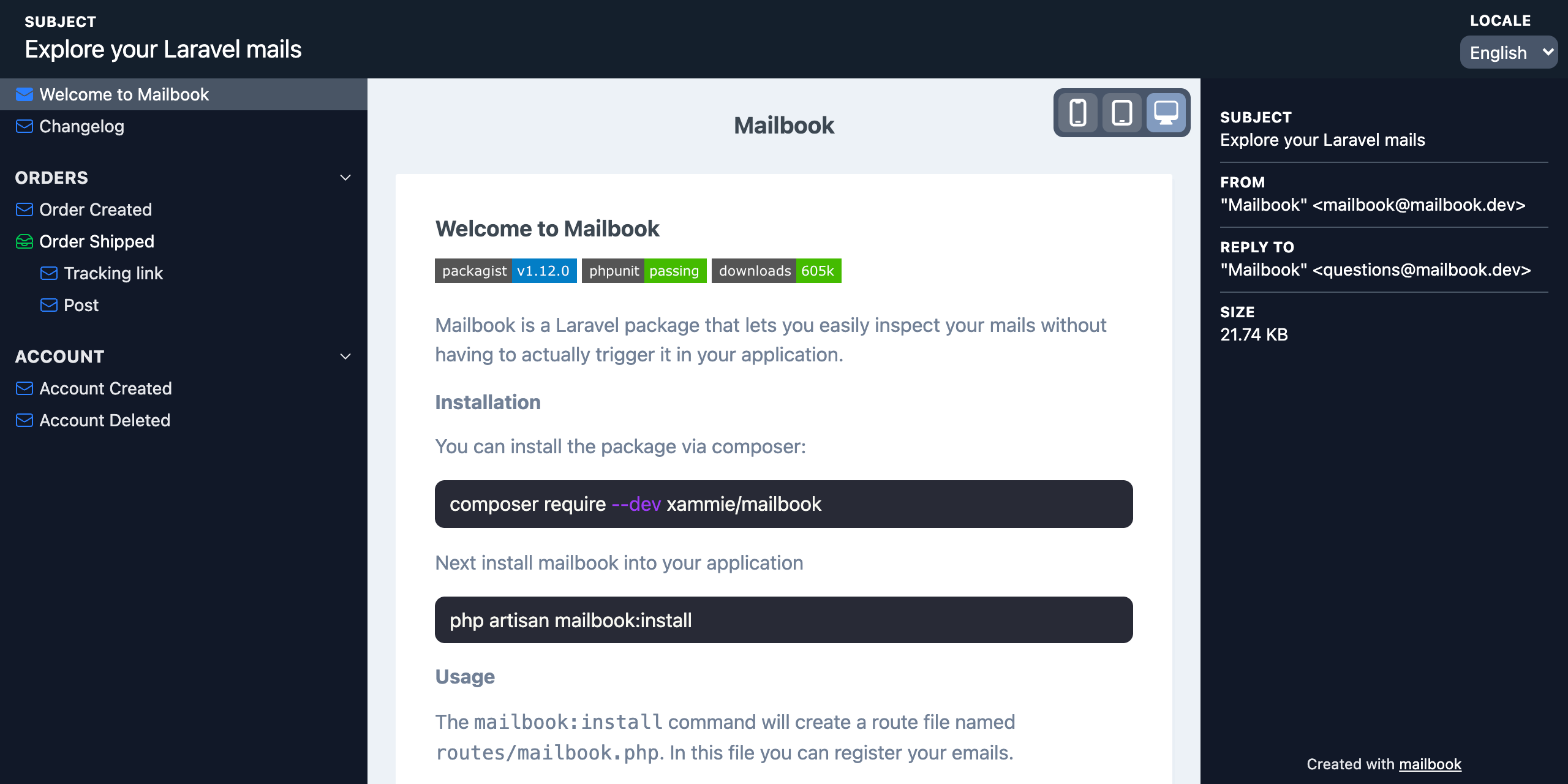
Mailbook is a Laravel package that lets you easily inspect your mails without having to actually trigger it in your application.
Installation
You can install the package via composer:
composer require --dev xammie/mailbook
Next install mailbook into your application
php artisan mailbook:install
Usage
The mailbook:install command will create a route file named routes/mailbook.php. In this file you can register your
emails.
// This will use dependency injection if your mailable has parameters
Mailbook::add(VerificationMail::class);

// Use a closure to customize the parameters of the mail instance
Mailbook::add(function (): VerificationMail {
    $user = User::factory()->make();

    return new VerificationMail($user, '/example/url')
});
Next head over to /mailbook to preview the mailables.
Registering mails
You can both register mailables that live in App\Mails and email notifications in App\Notifications.
// Mailable
Mailbook::add(VerificationMail::class);

// Notification
Mailbook::add(InvoiceCreatedNotification::class);
You can also use dependency injection in the closure.
// With dependency injection
Mailbook::add(function (VerificationService $verificationService): VerificationMail {
    return new VerificationMail($verificationService, '/example/url');
});

// Without dependency injection
Mailbook::add(function (): VerificationMail {
    $verificationService = app(VerificationService::class);

    return new VerificationMail($verificationService, '/example/url');
});
Sending to a user
A notification will most of the time need a user (also called notifiable in the notification class).
You can set the desired user with the ::to() method.
$user = User::factory()->create();

Mailbook::to($user)->add(WelcomeNotification::class);
If you don't need a user you can also pass an e-mail address.
Mailbook::to('example@mailbook.dev')->add(WelcomeNotification::class)
Grouping multiple mails
You can group multiple mails under the same category. This can be done using the category() and group() methods.
Mailbook::category('Invoices')->group(function () {
    Mailbook::add(InvoiceCreatedNotification::class);
    Mailbook::add(InvoicePaidNotification::class);
});
To avoid having to pass the same to() to every mailable that needs it you can also use the group() method. This will
use the notifiable to every mailable inside the group.
Mailbook::to('example@mailbook.dev')->group(function () {
    Mailbook::add(WelcomeNotification::class);
    Mailbook::add(TrialEndedNotification::class);
});
It is also possible to chain both category() and to() to the same group.
Mailbook::to('example@mailbook.dev')
    ->category('Invoices')
    ->group(function () {
        // ...
    });
Adding a comment
You can attach a comment to a mail to give extra context, for example when it gets sent. The comment is shown in the
mail's meta information. This can be done using the comment() method.
Mailbook::add(WelcomeNotification::class)
    ->comment('Sent when a user completes registration');
Just like category(), you can also chain it to a group().
Mailbook::comment('Sent when a user completes registration')->group(function () {
    Mailbook::add(WelcomeNotification::class);
});
Variants
When creating mails you might have a couple of different scenario's that you want to test for one mail, you can use variants to solve this.
// Use a closure to customize the parameters of the mail instance
Mailbook::add(OrderCreatedMail::class)
    ->variant('1 item', fn () => new OrderCreatedMail(Order::factory()->withOneProduct()->create()))
    ->variant('2 items', fn () => new OrderCreatedMail(Order::factory()->withTwoProducts()->create()));
Localization
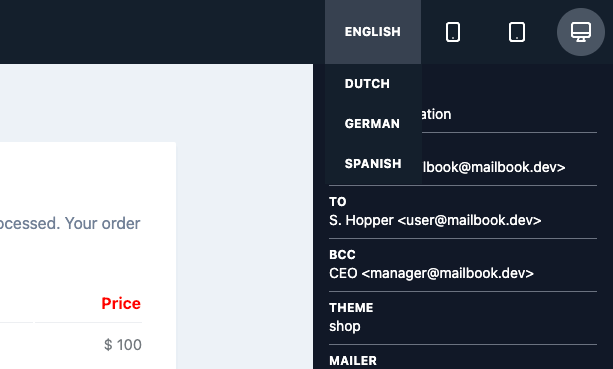
When your application supports multiple languages you need to easily preview your mails in these languages. To enable
this feature you have to add the following code to the mailbook.php config file.
'locales' => [
    'en' => 'English',
    'nl' => 'Dutch',
    'de' => 'German',
    'es' => 'Spanish'
],
This will display a dropdown in mailbook which you can use to switch to a different language.
Using the database
Most of the time your mailables will need database models. Sometimes you will even preform queries when rendering these mailables. Mailbook can automatically rollback database changes after rendering. You can enable it in the config with.
'database_rollback' => true,
You can now safely use factories and other queries when registering your mailables.
// All database changes are rolled back after rendering the mail.
Mailbook::add(function (): OrderShippedMail {
    $order = Order::factory()->create();
    $tracker = Tracker::factory()->create();

    return new OrderShippedMail($order, $tracker);
});
Database rollback is disabled by default.
Sending Mails
Testing your mails outside the browser is important if you want to make sure that everything is displayed correctly. You can use Mailbook to send mails to an email address of your choice using your default mail driver. This will show a button in the top-right corner which when pressed will send the currently selected email to the specified address. You can enable this in the config:
'send' => true,
'send_to' => 'test@mailbook.dev',
Customization
You can publish the config file with:
php artisan vendor:publish --tag="mailbook-config"
Optionally, you can publish the views using
php artisan vendor:publish --tag="mailbook-views"
Testing
composer test
Changelog
Please see CHANGELOG for more information on what has changed recently.
Security Vulnerabilities
Please review our security policy on how to report security vulnerabilities.
Credits
License
The MIT License (MIT). Please see License File for more information.


