mokhdesigns/syntechfcm
Open on GitHub →
Syntech FCM Integration in Laravel
This guide provides step-by-step instructions to integrate Syntech\SyntechFcm for sending Firebase Cloud Messaging (FCM) notifications in a Laravel application.
Requirements
- PHP >= 7.4
- Laravel >= 8.0
- Composer
Installation
-
Install the package via Composer:
composer require syntech/syntechfcm -
Publish the configuration file:
php artisan vendor:publish --provider="Syntech\Syntechfcm\SyntechFcmServiceProvider" -
Configure your FCM credentials:
Update the
config/syntechfcm.phpfile with your FCM project credentials.return [ 'project_id' => env('FCM_PROJECT_ID'), 'client_email' => env('FCM_CLIENT_EMAIL'), 'private_key' => env('FCM_PRIVATE_KEY'), ]; -
Add the FCM credentials to your
.envfile:FCM_PROJECT_ID=your-project-id FCM_CLIENT_EMAIL=your-client-email FCM_PRIVATE_KEY=your-private-key
Create and Send Notifications
-
Create a notification:
php artisan make:notification YourNotification -
Implement the notification class:
<?php

namespace App\Notifications;

use Illuminate\Bus\Queueable;
use Illuminate\Contracts\Queue\ShouldQueue;
use Illuminate\Notifications\Notification;

class YourNotification extends Notification
{
    use Queueable;

    /**
     * Create a new notification instance.
     *
     * @return void
     */
    public function __construct()
    {
        //
    }

    /**
     * Get the notification's delivery channels.
     *
     * @param  mixed  $notifiable
     * @return array
     */
    public function via($notifiable)
    {
        return ['fcm'];
    }

    /**
     * Get the FCM representation of the notification.
     *
     * @param  mixed  $notifiable
     * @return array
     */
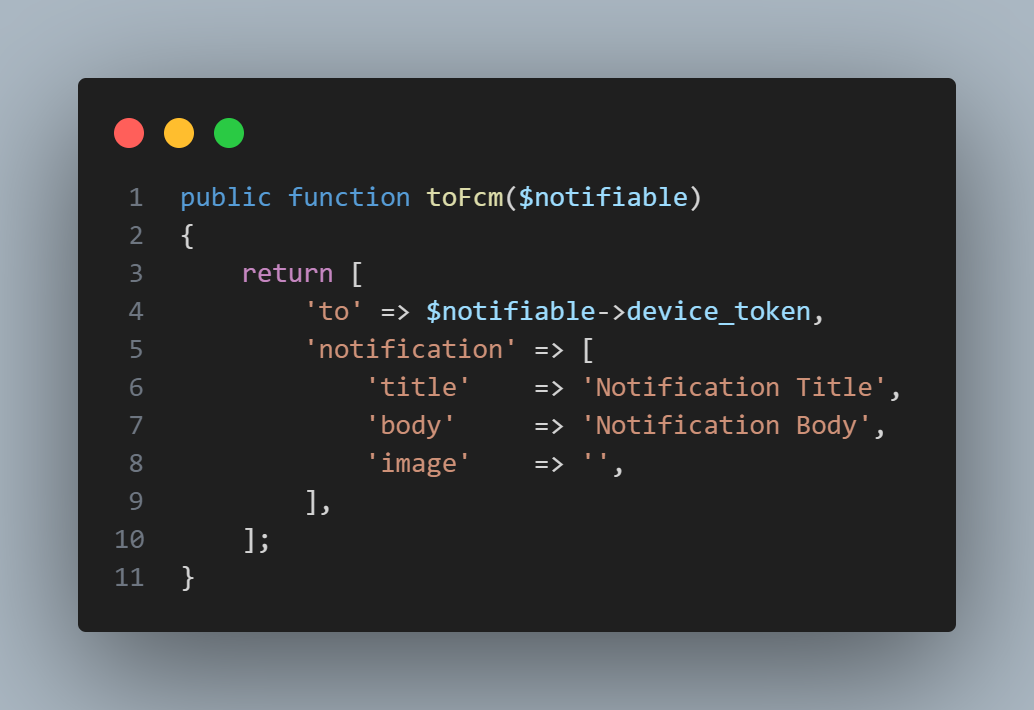
    public function toFcm($notifiable)
    {
        return [
            'to' => $notifiable->device_token,
            'notification' => [
                'title'    => 'Notification Title',
                'body'     => 'Notification Body',
                'image'    => '', // Optional image URL
            ],
        ];
    }
}
<?php namespace App\Models; use Illuminate\Database\Eloquent\Model; use Illuminate\Notifications\Notifiable; class User extends Model { use Notifiable; /** * Route notifications for the FCM channel. * * @return string */ public function routeNotificationForFcm() { return $this->device_token; } } -
Send the notification:
Use the notification in your controller or wherever appropriate:
use App\Notifications\YourNotification;
use App\Models\User;

// Assuming $user is an instance of the User model
$user = User::find(1); // Find the user you want to notify
$user->notify(new YourNotification($title, $body));
Example Usage
-
Store FCM tokens:
Ensure you have a way to store FCM tokens for each user, typically in your
userstable.Schema::table('users', function (Blueprint $table) { $table->string('device_token')->nullable(); }); -
Update FCM tokens:
Update the user's FCM token when they log in or register.
$user->update(['device_token' => $request->input('device_token')]); -
Send a test notification:
In a controller method:
public function sendTestNotification(User $user)
{
    $user->notify(new YourNotification());
}
License
This project is open-source and available under the MIT license.
Contributing
Contributions are welcome! Please read the contribution guidelines first.
Support
For support, open an issue or contact the maintainer.
Example Code Image
Below is an example of the toFcm method implementation in your notification class: