
README from
damms005/devdb-vscode
Open on GitHub →
DevDb
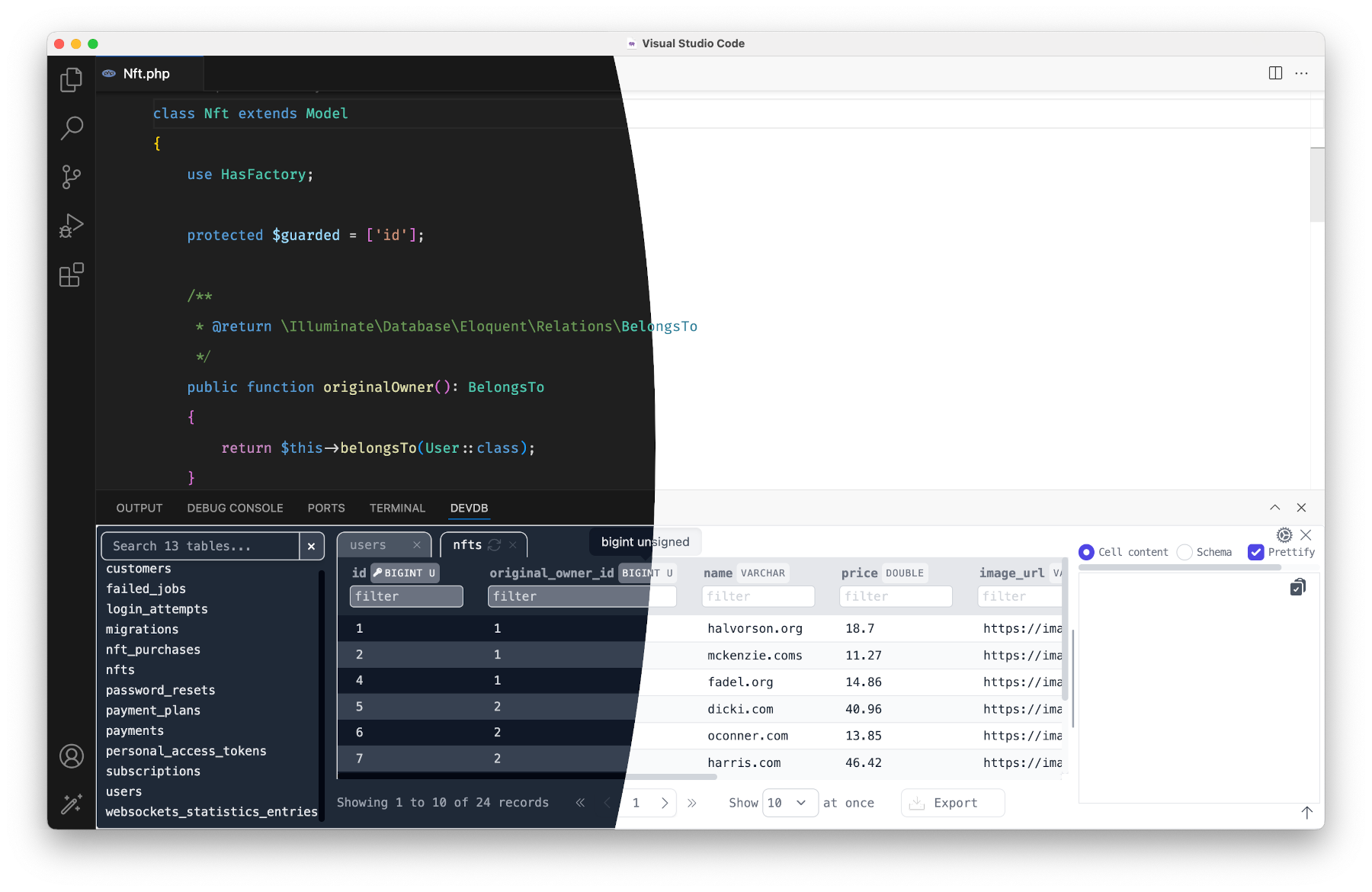
DevDb finds the database of your project and shows it in a panel in VS Code, Cursor and Windsurf. You do not write a connection.
Features
- Zero-config detection. DevDb reads Laravel, Rails, Django, AdonisJS, DDEV, Supabase, Prisma, Drizzle, docker-compose, Wrangler and
DATABASE_URLsetups. More - Browse and edit. Filter rows, edit values, set
null, delete rows. Undo, redo and save withCmd+Z,Cmd+YandCmd+S. More - Editor features. Go to a table (
Cmd+K Cmd+G), open the table at the cursor, generate Laravel factories from real data, explain MySQL queries, export as JSON or SQL. More - MCP server. Claude Code, Cursor, Windsurf and other MCP clients can read your schema and run queries. Localhost only, with a token, read-only by default. More
- Remote connections (Pro). Direct with TLS, SSH tunnels with host key checks, and MongoDB. More
Supported datastores
| Datastore | Free | Pro |
|---|---|---|
| SQLite, MySQL, MariaDB, PostgreSQL, SQL Server | Yes | Yes |
| MongoDB that zero-config detection finds | Yes | Yes |
| Cloudflare D1 local | Yes | Yes |
| Remote MySQL, MariaDB, PostgreSQL (direct or SSH), remote MongoDB, Supabase Cloud | — | Yes |
| Redis / Valkey, ClickHouse, DuckDB, Neon | — | Yes |
| pgvector search, Cloudflare D1 remote, Turso / libSQL, DynamoDB | — | Yes |
DevDb Pro is a one-time payment for a lifetime license. See devdbpro.com and Pro and Licensing.
Quick start
- Install DevDb from the VS Code Marketplace or Open VSX.
- Open your project. Trust the workspace when VS Code asks.
- Press
Cmd+K Cmd+D(macOS) orCtrl+K Ctrl+D(Windows, Linux) to open the DevDb panel. - Click your database under Local Databases.
If DevDb does not find your database, add a .devdbrc file. Type devdb in it to get snippets. Add .devdbrc to .gitignore, because it can contain passwords.
Requirements: VS Code 1.90 or later. DevDb runs on macOS, Windows, Linux and Alpine (x64 and arm64) and Linux armhf. See Getting Started.
Documentation
| Topic | Link |
|---|---|
| Install and set up | Getting Started |
| Frameworks and tools that DevDb detects | Zero-Config Detection |
.devdbrc reference |
Config File |
| SSH tunnels, TLS, MongoDB, Supabase Cloud | Remote Connections |
| MCP setup and security | MCP Server |
| All settings | Settings |
| Errors and logs | Troubleshooting |
| Report a security problem | Security |
| Release notes | Changelog |
Sponsors
- DevWorkspace Pro: build and manage web apps on your computer, with DDEV, terminal, SSH, GitHub and AI sessions in one desktop app.
- Traycer AI: AI help in your VS Code workflow.
To support DevDb, sponsor the project, buy DevDb Pro, or see other projects.
Support
- Questions and ideas: GitHub Discussions
- Bugs: GitHub Issues. Add the log from the DevDb output channel.
- License and billing: hi@devdbpro.com
Contribution
[!IMPORTANT] You can contribute to the extension core code only. The UI code is not public.
- Fork this repository and clone your fork.
- Run
bun install. - Make your changes. Press
F5to test them in VS Code. - Run
bun run test-services. All tests must pass. - Push to your fork and open a pull request.


